What Incod Image Dimension Manager Can Do
Everything you need to keep every image on your site perfectly uniform — with no limits and no server stress.
Resize Modes
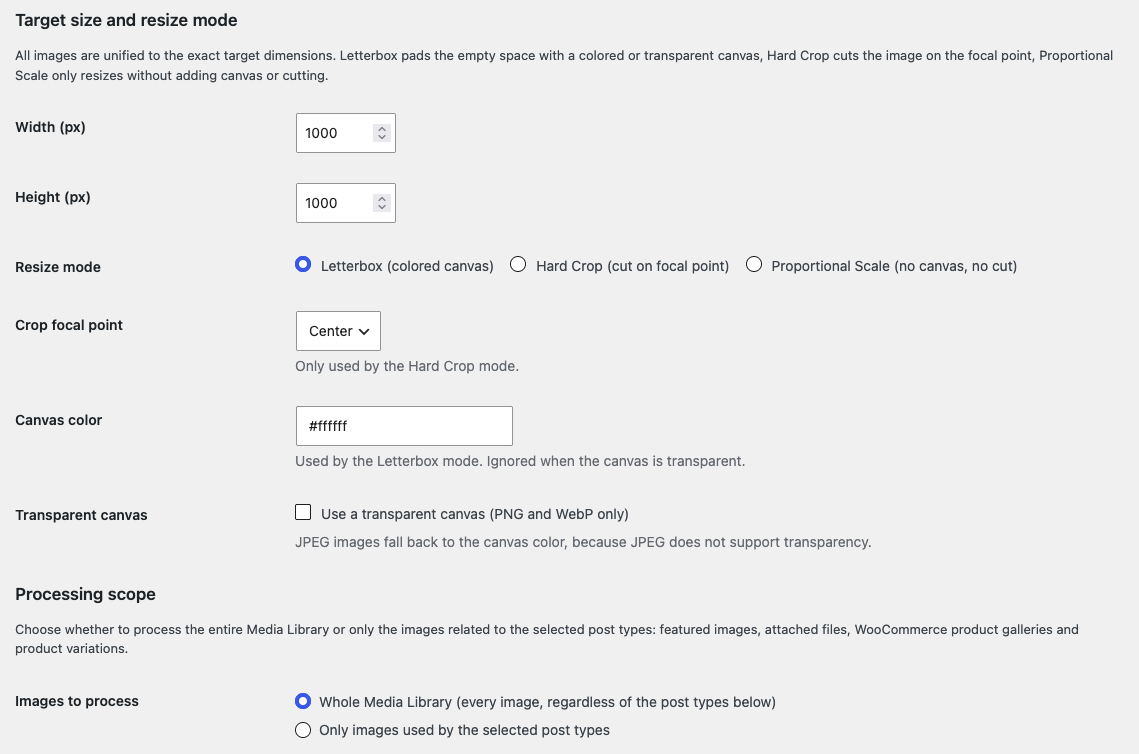
Letterbox, Hard Crop or Proportional Scale
Pick one of three modes to unify every image to the exact target dimensions, with full control over the canvas and the crop point.
- Letterbox / Canvas — pads the empty space with a custom HEX color or a fully transparent canvas (PNG/WebP), always centered
- Hard Crop — fills the target exactly, with a focal point: Center, Top, Bottom, Left or Right
- Proportional Scale — resizes without adding canvas and without destructive cropping
- Option to prevent upscaling of images smaller than the target
- Configurable JPEG quality from 1 to 100%
- Images already matching the target are skipped automatically
Scope & Automation
Every Post Type, Precisely Scoped
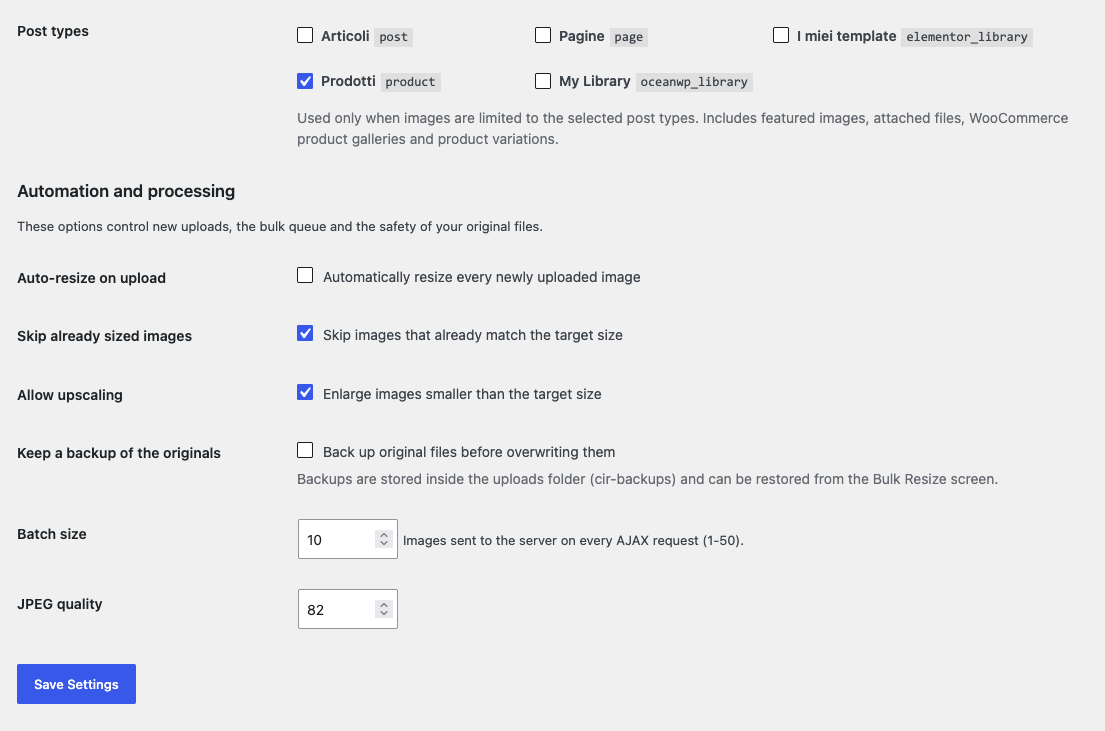
All public Custom Post Types are detected dynamically — WooCommerce included — so you decide exactly which images are processed.
- Dynamic detection of every public CPT with multi-checkbox selection
- Choose the whole Media Library or only the images used by the selected post types
- Featured images, attached files, WooCommerce product galleries and product variations
- Auto-resize on upload: every new image is adapted automatically
- Optional backup of the originals with batch restore from the Bulk screen
- Batch size (1–50) and JPEG quality right from the settings screen
Bulk Processing
Bulk Resize With No Limits
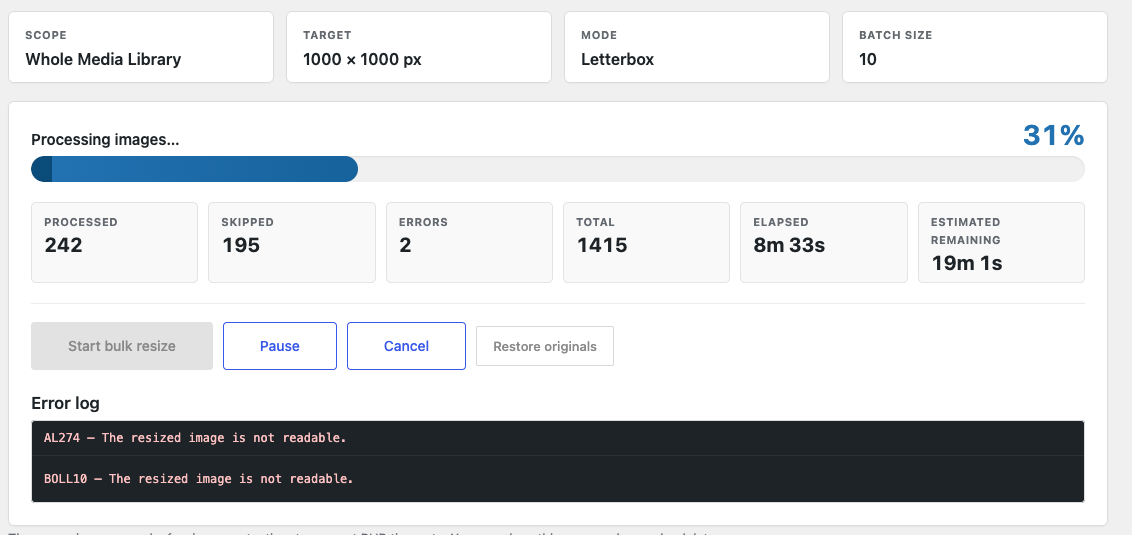
Process your entire library asynchronously: the browser sends small batches while the server always stays within its comfort zone.
- Fluid progress bar with percentage, counters, elapsed time and estimated remaining time
- Pause, Resume and Cancel at any moment — no limit to the number of images
- Timeout protection: time budget per request, adaptive throttle and mutual-exclusion lock
- Error log (last 50) and session state stored on the server
- Retries on failure: nothing is lost between batches
- Imagick engine with automatic
GD fallback via
wp_get_image_editor()